SDS sending & re‑sending

Dealers often need to provide Safety Data Sheets reliably – not only for single items, but as complete SDS packages for customers. ChemTool is built for these workflows: fast selection, clear documentation and efficient sending.

Request a demo For dealers

Access & permissions (dealers/suppliers)

  • SDS sending is available in the dealer area after sign‑in.
  • Single sending, package sending and selection via number blocks are included.
  • Automatic re‑sending: if an SDS is replaced within a defined period (e.g. 12 months), the new version is automatically re‑sent to affected recipients.

Sending the way dealers need it

Single & package sending

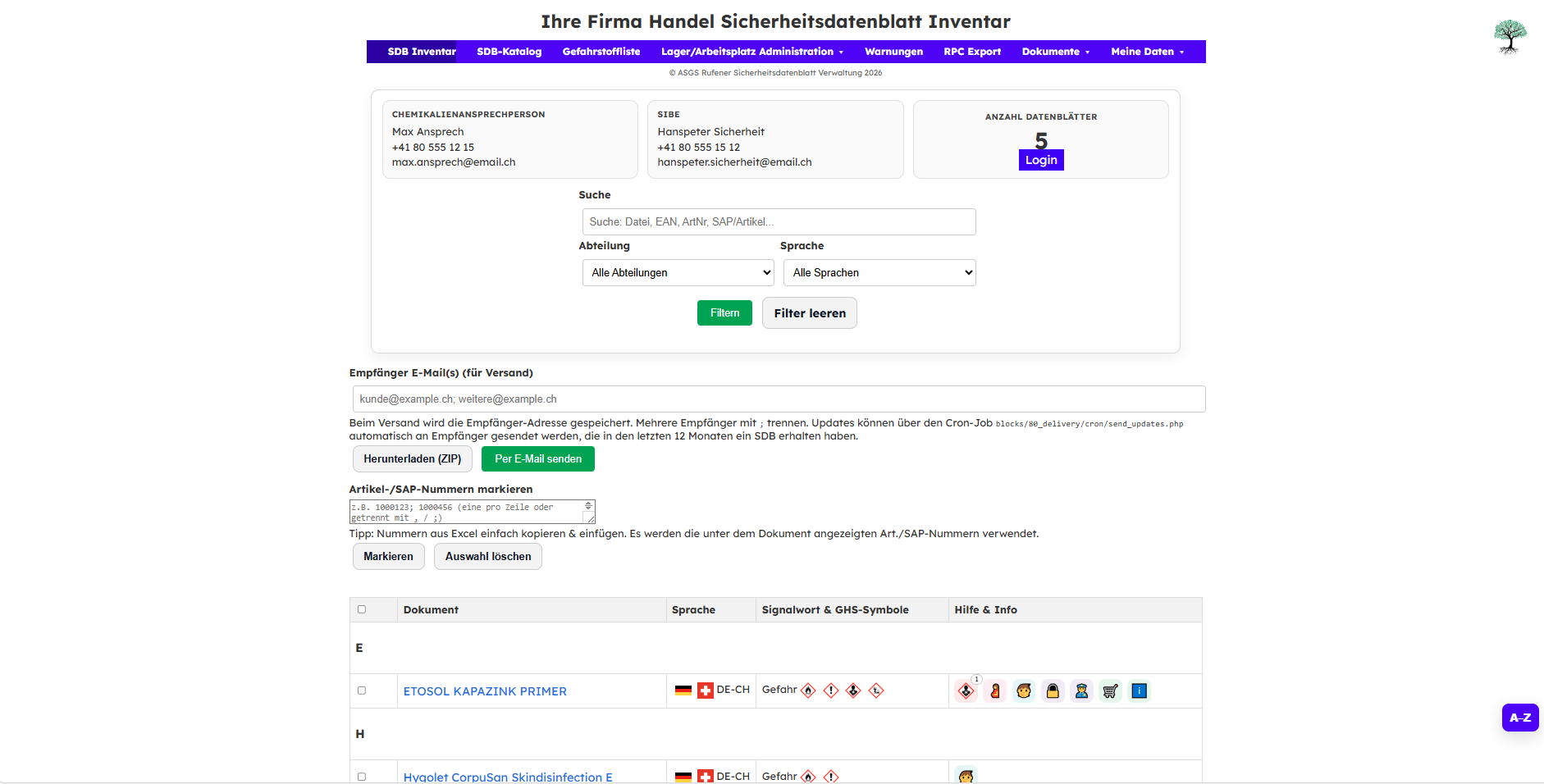
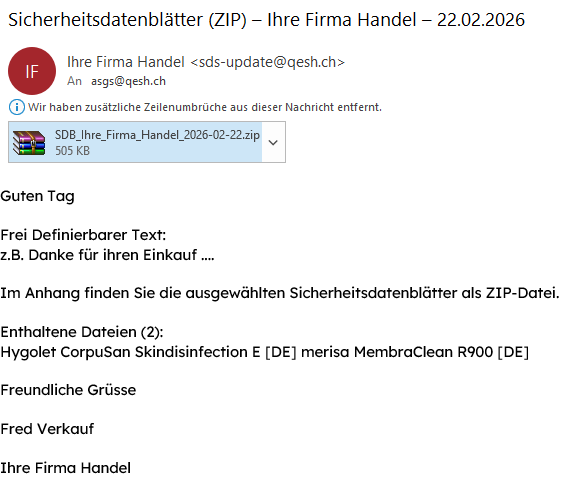
SDS can be provided to customers individually or as a package (bulk sending). Optional ZIP download or e‑mail sending.

Number blocks instead of click marathons

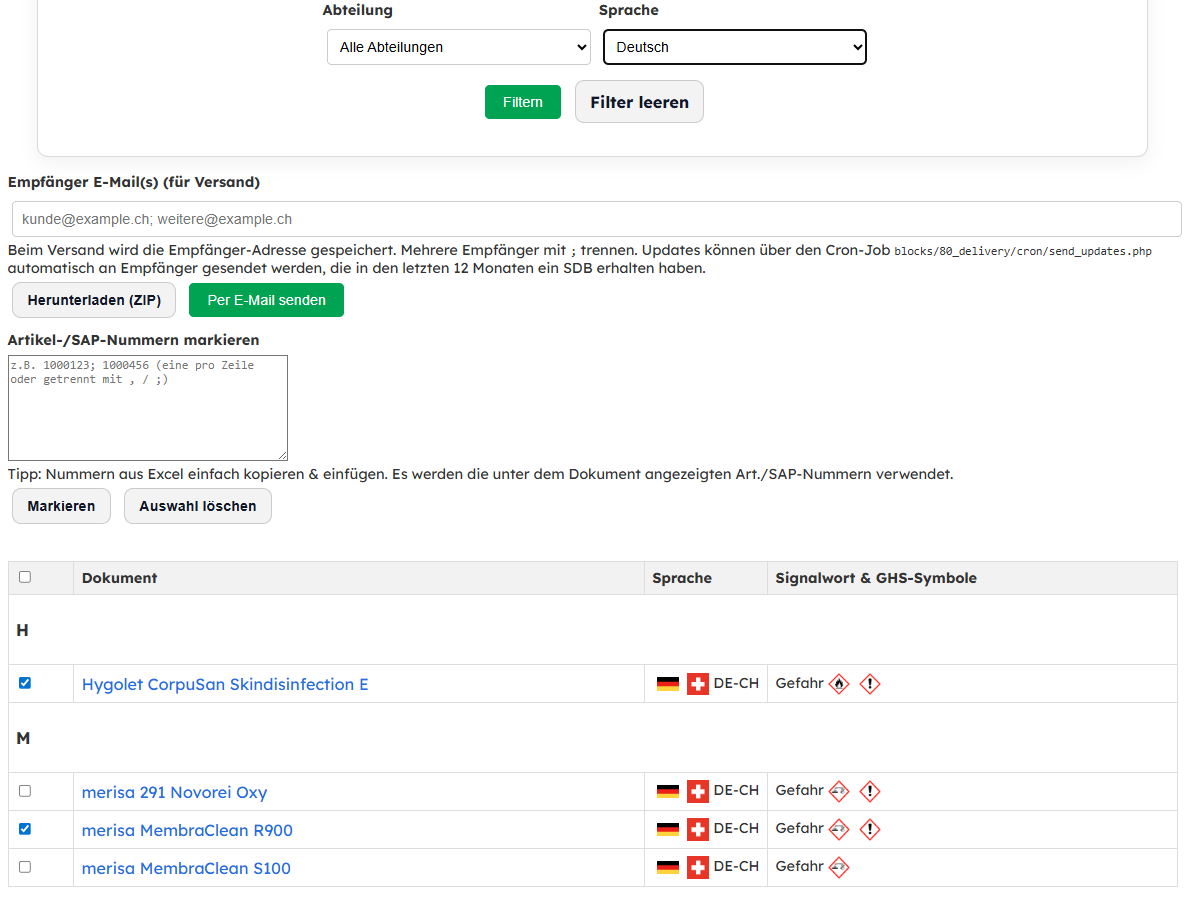
Selection via lists and number blocks: build a package by item number ranges without clicking each SDS one by one.

Filters & sorting

Find the right document quickly: filters and sorting e.g. by language, manufacturer and other criteria.
Multilingual sending: possible if language versions exist in the inventory.

Item numbers

Item numbers & customer item numbers

ChemTool can work with your own item numbers as well as customer item numbers. This makes searching faster and keeps package building consistent with ERP and customer master data.

Mark by list

Copy/paste number lists from Excel and ChemTool highlights the matching documents automatically.

Automatic re‑sending when SDS are updated

When an SDS is replaced by a new version, re‑sending is triggered automatically for recipients who received the SDS within a defined period (e.g. 12 months). Packages stay up to date – without manual follow‑up.

Preview: sending interface & customer e‑mail

Two typical steps: selection via filters and number lists – then sending as a ZIP via e‑mail.

ChemTool: dealer view – SDS inventory with selection and sending via email or ZIP
ChemTool SDS sending: selection, filters and recipient
ChemTool SDS sending: e‑mail with ZIP and content list

Tip: arrow keys ←/→ work when the slider is focused.