
SDS inventory
Search and filter by product, manufacturer, supplier, language, version and other attributes.
ChemTool brings Safety Data Sheets, products, suppliers, quantities, containers, workplaces and storage locations into one data structure. Employees open authorised SDS by QR code; administration, assessment, document generation and distribution take place in the protected portal.
The software is designed to manage and use SDS, not to draft them automatically. Professional checking, adaptation or preparation is coordinated separately through the SDS service.
Search and filter by product, manufacturer, supplier, language, version and other attributes.
GHS data and quantities by workplace or storage location, including consolidated totals.
View the list →Open authorised SDS at the point of use without an app or employee login for read-only access.
View QR access →Record processes, classify hazard potential and prioritise the need for further assessment.
View the portfolio →Assess actual situations using a 5×5 matrix and document measures according to the STOP hierarchy.
View the assessment →Select individual documents or packages, use article numbers and distribute updated versions.
View SDS distribution →Departments, workplaces, storage locations and mobile locations can be named freely.
The same product can exist in several locations and be moved without duplicate entry.
The purchasing source remains documented so it is clear where an updated SDS must be requested.
The hazard portfolio sets priorities; the risk assessment examines a specific workplace and documents protective measures.
Missing data, quantities, storage conditions and open checks remain visible until reviewed.
View warnings →Products assigned to a workplace provide the basis for work instructions, training material, labels and other documents, generated individually or in bulk.
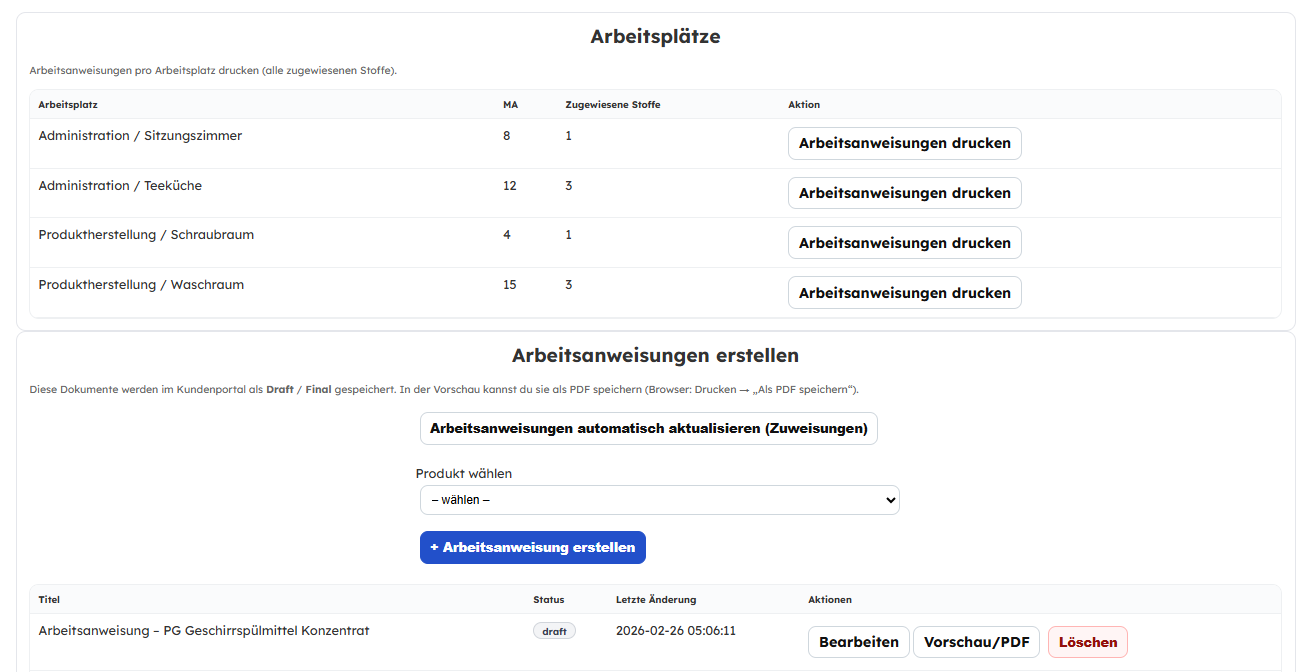
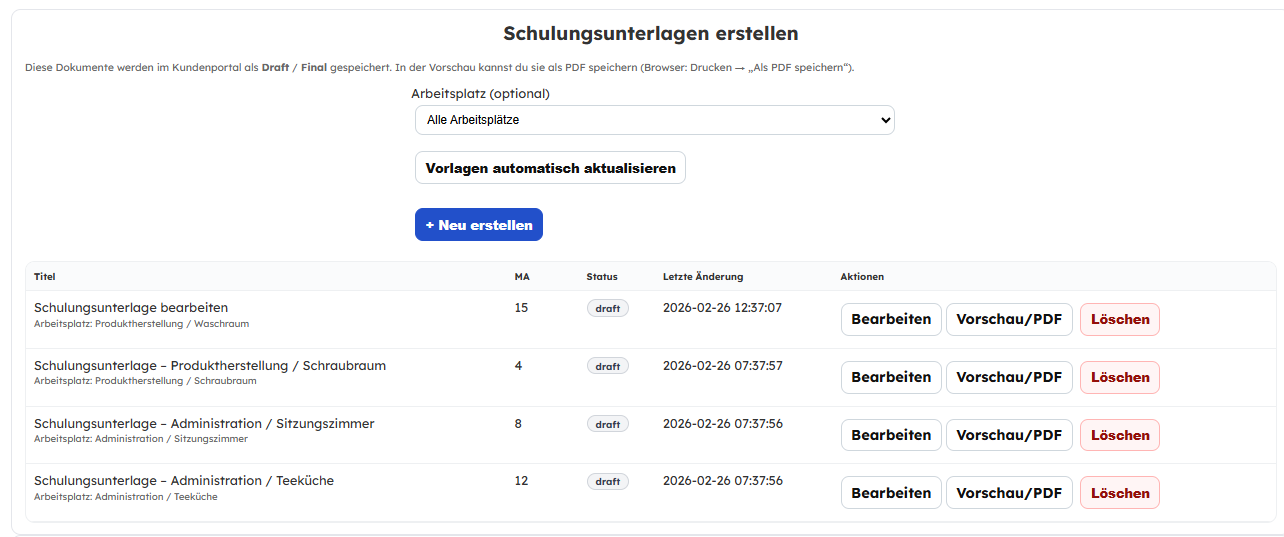
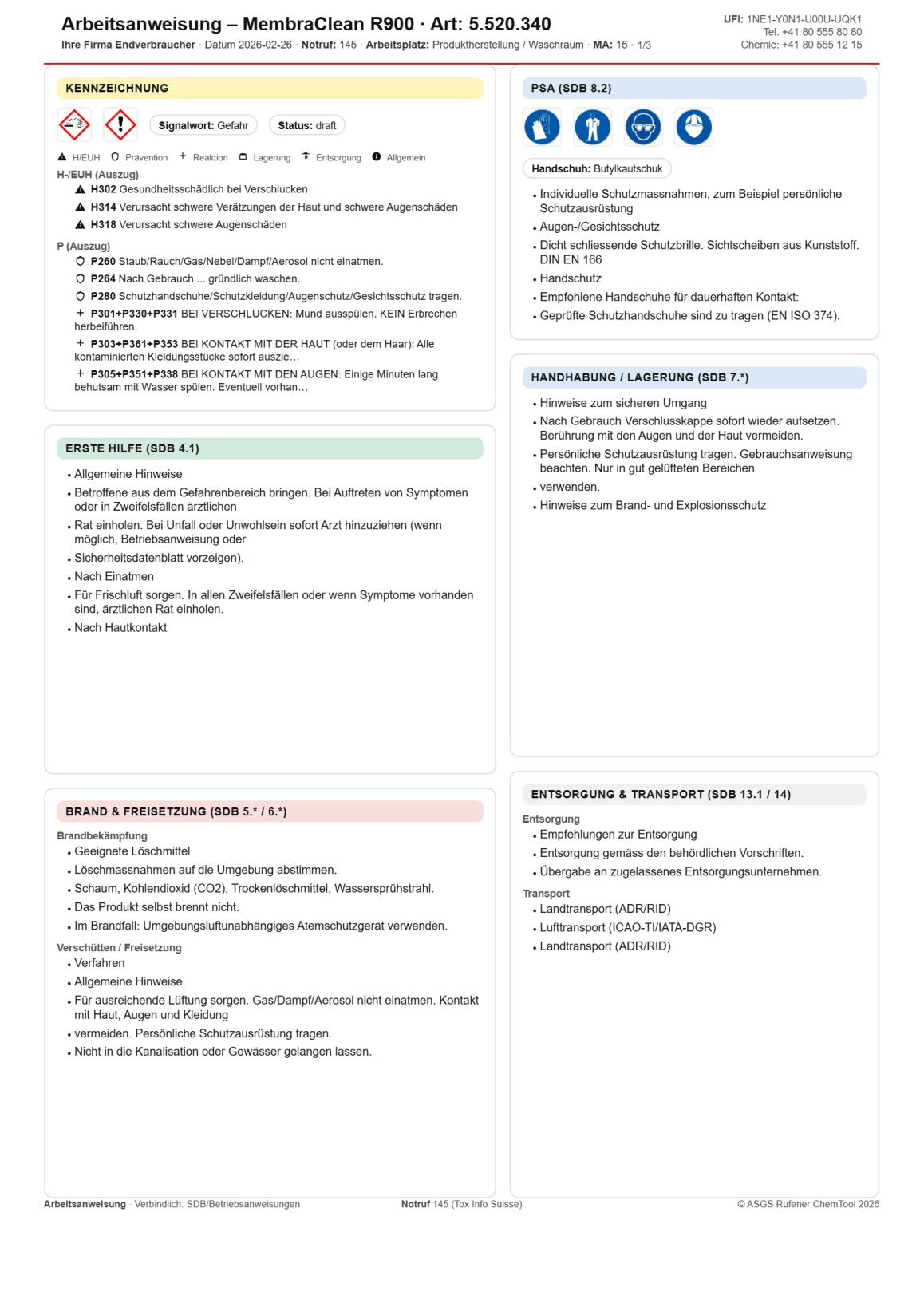
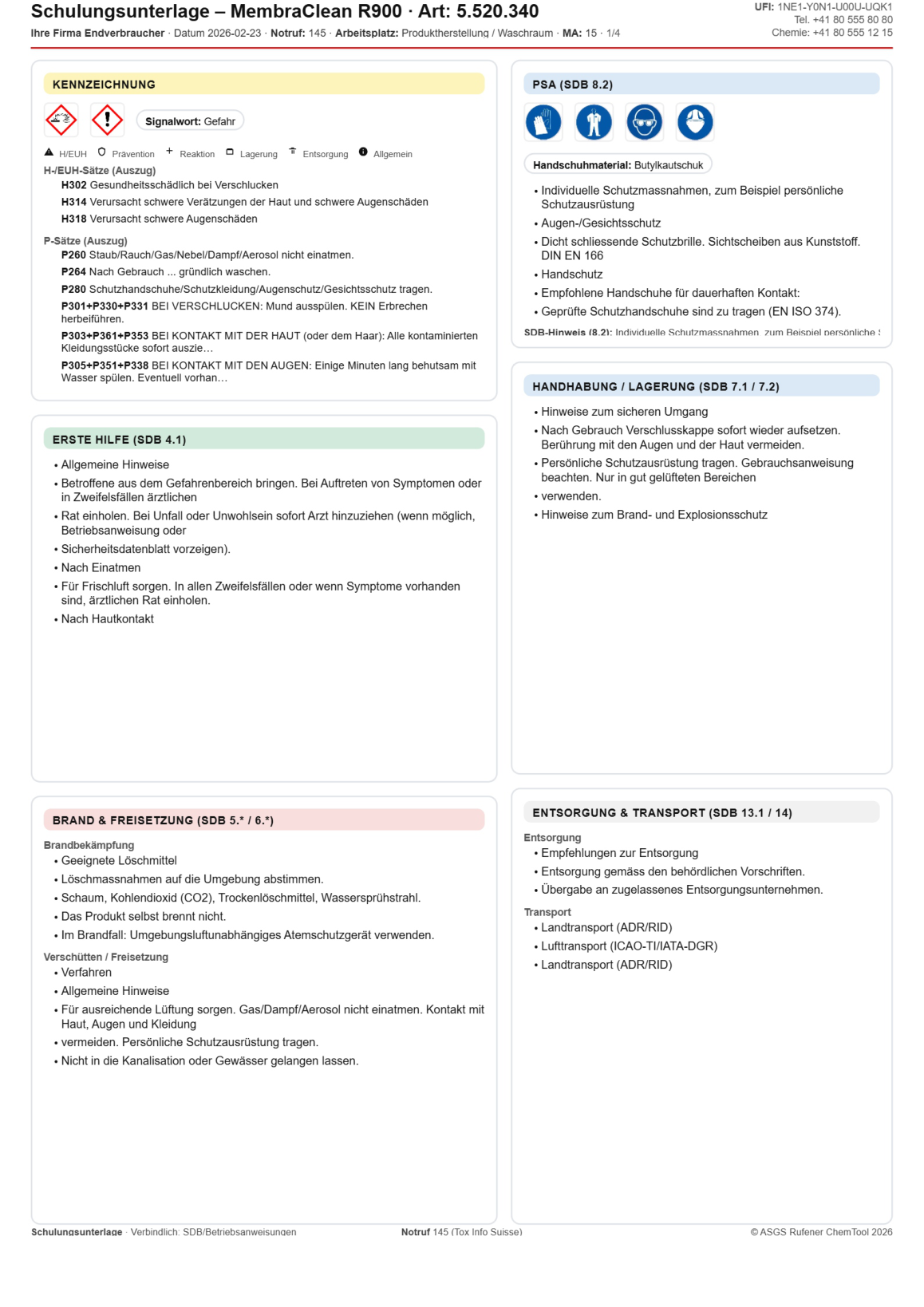
Send individual documents or packages, use article numbers and distribute new versions to affected recipients.
SDS distribution details →Prepare RPC data, coordinate suppliers and languages and have missing documents checked or prepared.
SDS service →